Turn a photo into a 3D model
Upload 1 to 4 photos of a figure, a pet, a toy or an object. AI builds a 3D model in a few minutes: edit it, download it, or have us print it in resin.
- 1–4 photos
- Ready in minutes
- STL, GLB, 3MF, OBJ
- Print it or download it
- AI Model Creation
- Print Preparation
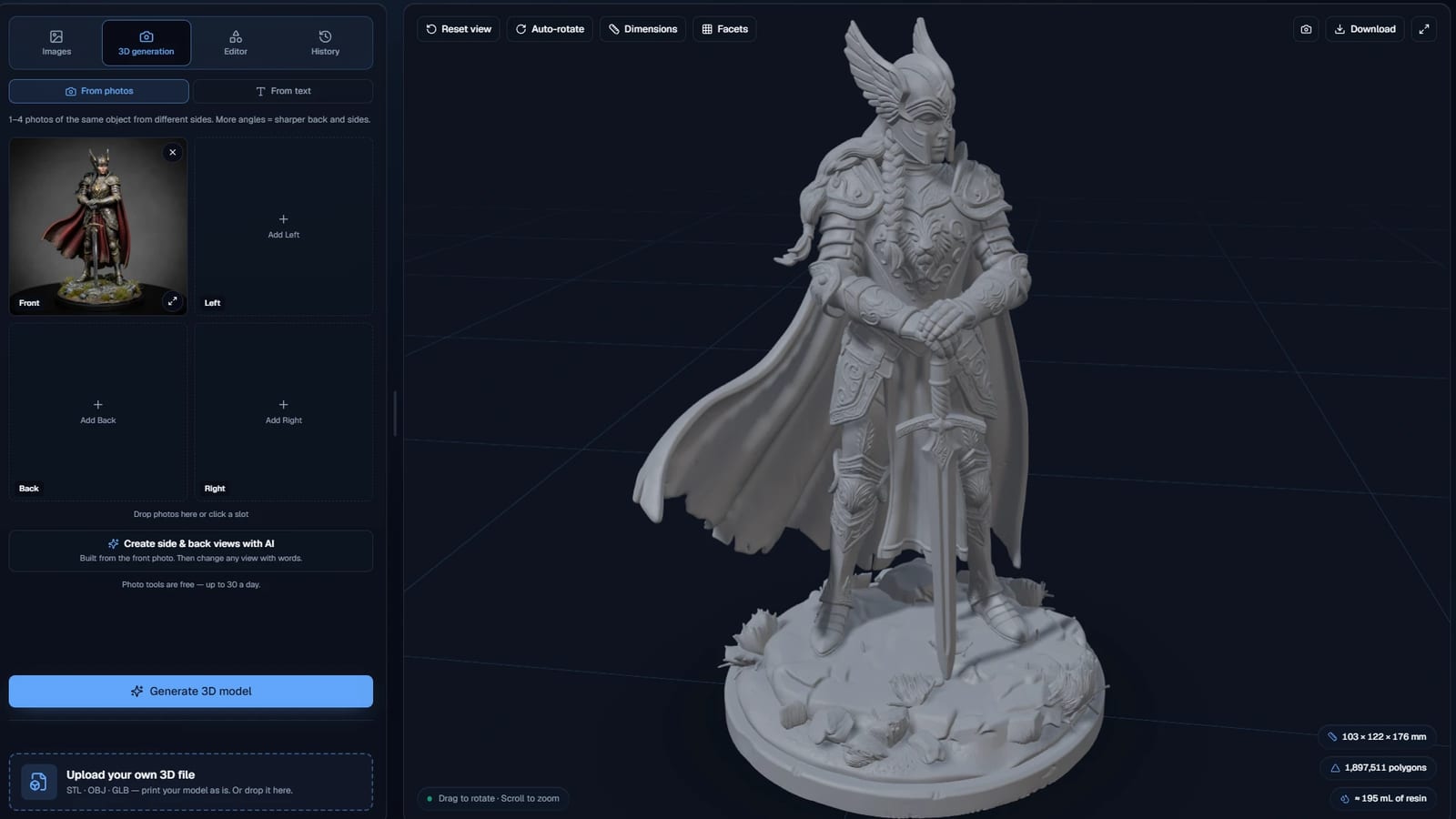
From a photo to a model in three steps
- 1
Upload your photos
One clear photo is enough. Two to four, from the front, side and back, give the AI more to work with.
- 2
AI builds the model
The 3D model is ready in a few minutes and opens in the studio, where you can turn it round and check it from every side.
- 3
Edit, download or print
Fix details in the free editor, download the file for your own printer, or pick a size and resin and we print it for you.
How to take photos for a good 3D model
- One subject in the frame, seen whole: not cut off at the edges
- A plain, uncluttered background and even light, no hard shadows
- Shoot straight on from the front; add the side and back for the hidden parts
- Sharp and well lit: a blurry photo gives a soft model
- Figures, toys, pets, busts and small objects work best; flat pictures and thin wires don't
Ideas for your first model
A figurine of a character
Bring a drawing, a toy or a game character into 3D and print it as a miniature.
Your pet in resin
A photo of a cat or a dog becomes a small sculpture to paint and keep.
A replacement or a copy
Model an object you have, then resize it or fix it in the editor before printing.
What it costs
You need a free account to generate a model. Your first generations are free; after that a generation costs credits, which you can buy in small packs. The editor and downloads are always free, and a print is priced by size and resin before you order.
Frequently asked questions
Want it in your hands?
Pick a size and resin next to the model and see the price straight away. We print in high-detail resin and ship from the United States.